Trenalia

Spain's trains on a map, in near real time.

Trenalia brings together in one place the positions, delays and incidents published by Renfe, ADIF and other open sources, and explains them clearly. It is an independent, non-profit project.

It is an experimental tool for information only. It is not for driving trains or for making safety decisions.

Most delayed trains right now

--:--
TrainDestinationNext stopDelay
Connecting to Trenalia…
— trains on the map — delayed by 5 min or more — median delay

Real data read just now from the Trenalia server.

Rail information already exists. The hard part is finding it and making sense of it.

Train positions are on Renfe's live viewer; Iryo and Ouigo delays, on ADIF's station boards; incidents, on another page; weather warnings, on AEMET. Trenalia puts it all on a single screen, snaps positions onto the track and makes clear what is data and what is an estimate.

It is a personal project, free and ad-free, designed for people who travel, people who work in the railway and people who provide services to it.

What you can do

See where every train is

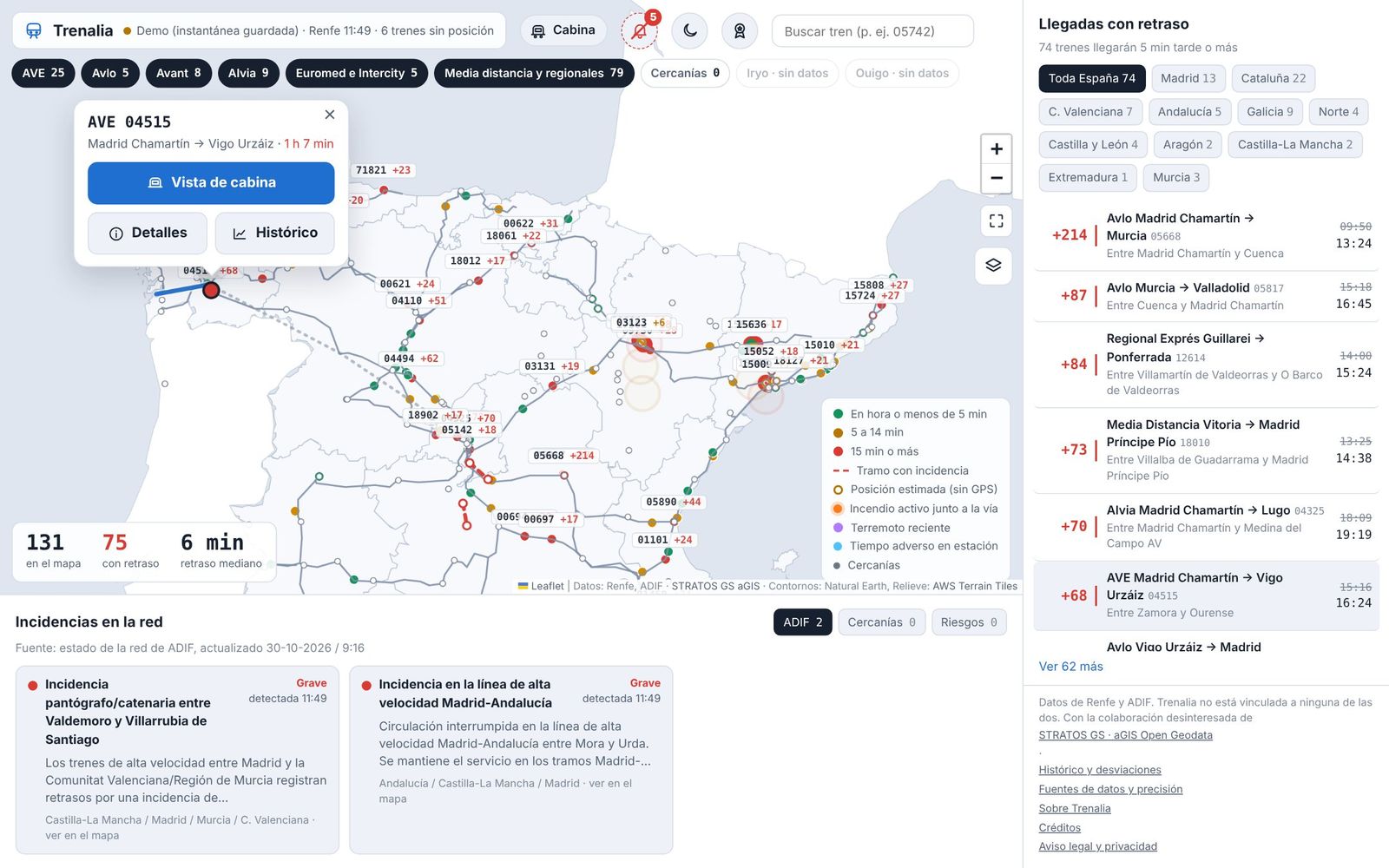
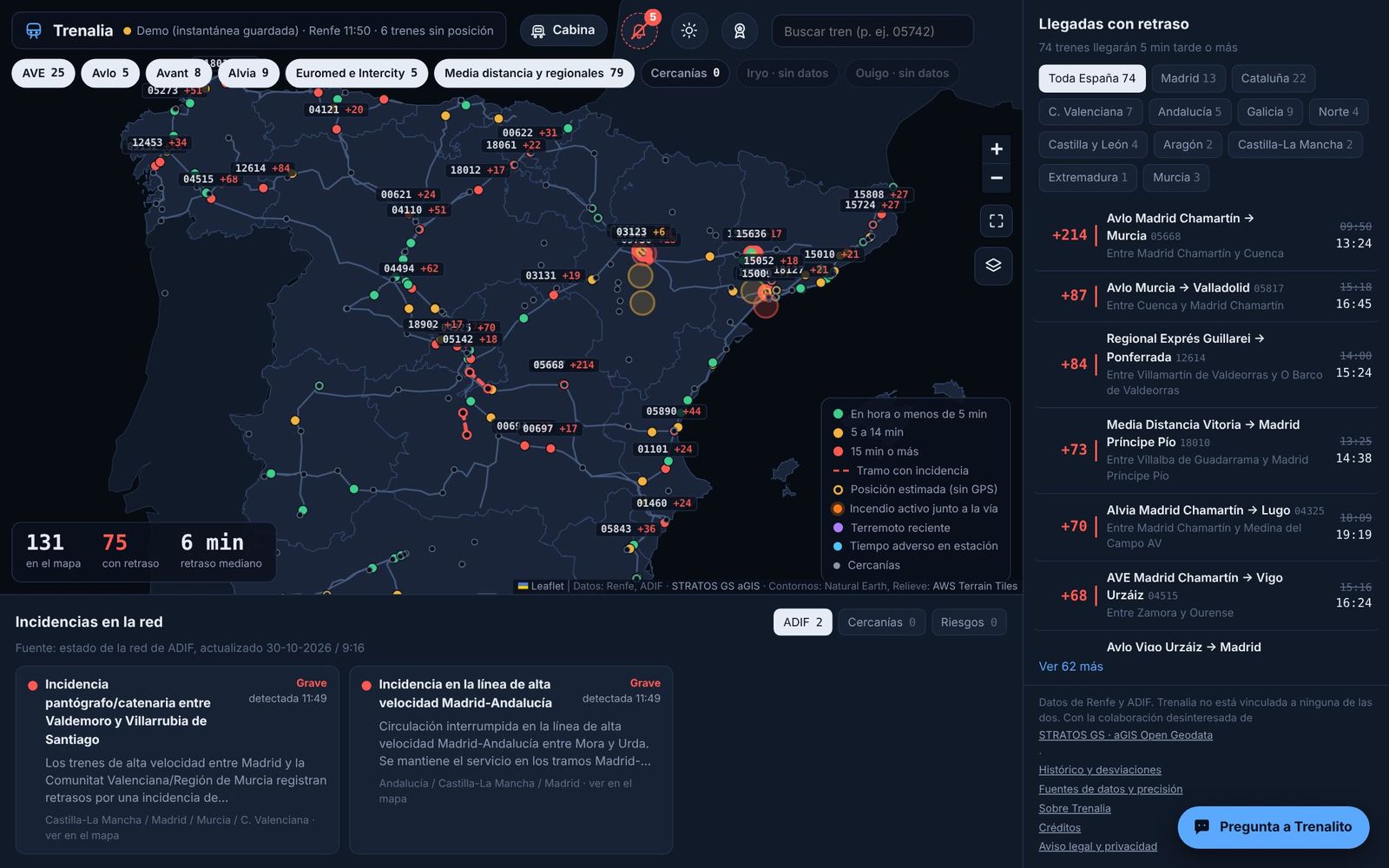
Renfe's AVE, Avlo, Alvia, Euromed, Intercity, Media Distancia and regional trains with their GPS position, snapped to the track so they don't appear in the middle of a field. The colour shows how late they are running. Cercanías and Rodalies commuter trains are shown too.

  • Filters by service type and by region.
  • Layers you can switch on and off: terrain relief, rail network, stations, incidents, wildfires, weather, earthquakes and labels.
  • Trains without public GPS (Iryo, Ouigo) are drawn hollow: their position is calculated from the official timetable and, when known, their delay.
Map of Spain with trains coloured by delay, service filters and the list of delayed arrivals

Tap a train and get the full picture

Tapping a train opens a menu with three options: the cab view, its details (stops, timetable, delay, track, remarks and position accuracy) and its history from previous days. Its route is drawn on the map: the part already covered in grey, and what is still ahead in blue.

Menu for an AVE with the Cab view, Details and History buttons over its route

Ride in the cab

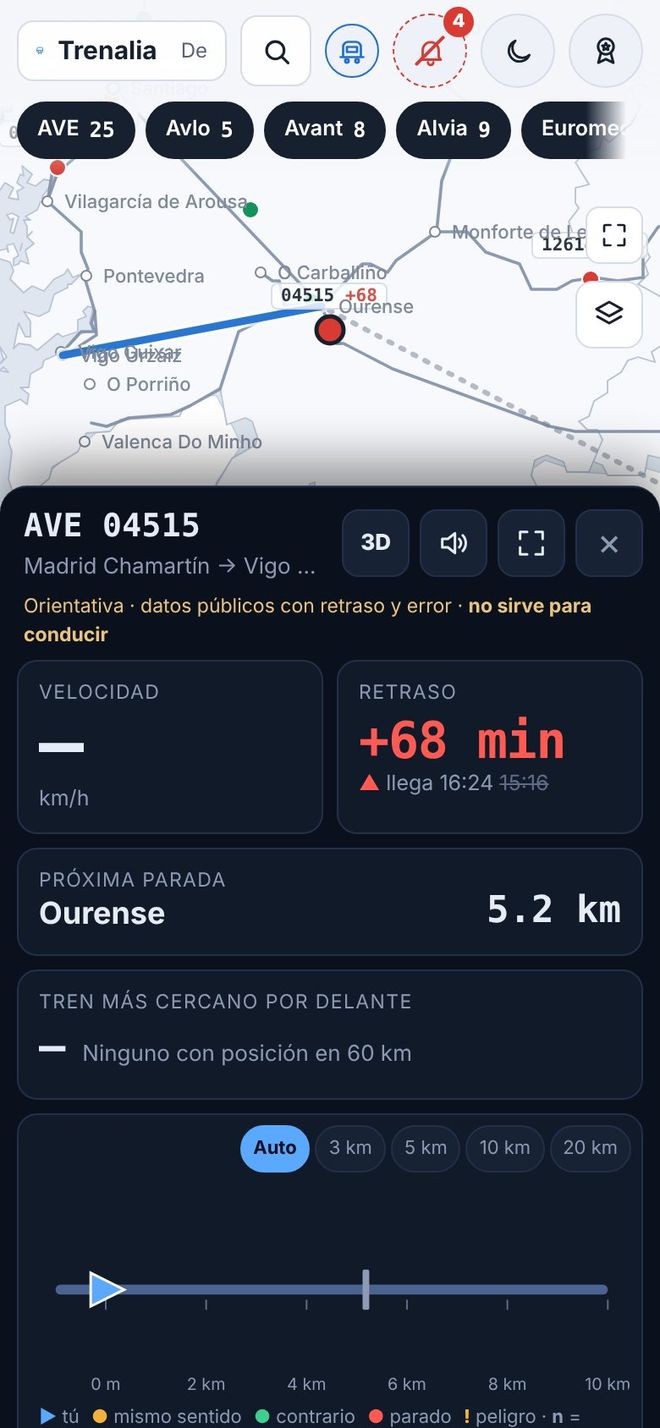
The cab view follows a train and shows you what lies ahead of it and behind it: other trains, stations, incidents and hazards, on a scale that adjusts itself. It shows the gradient profile of the route and a 3D view with the real terrain relief, and it can give audio alerts.

It is for guidance only: it uses public data with delays and a margin of error. It is not for driving trains.

Cab view on a mobile phone with the speed, the delay, the next stop and the track ahead

Know what is happening on the network

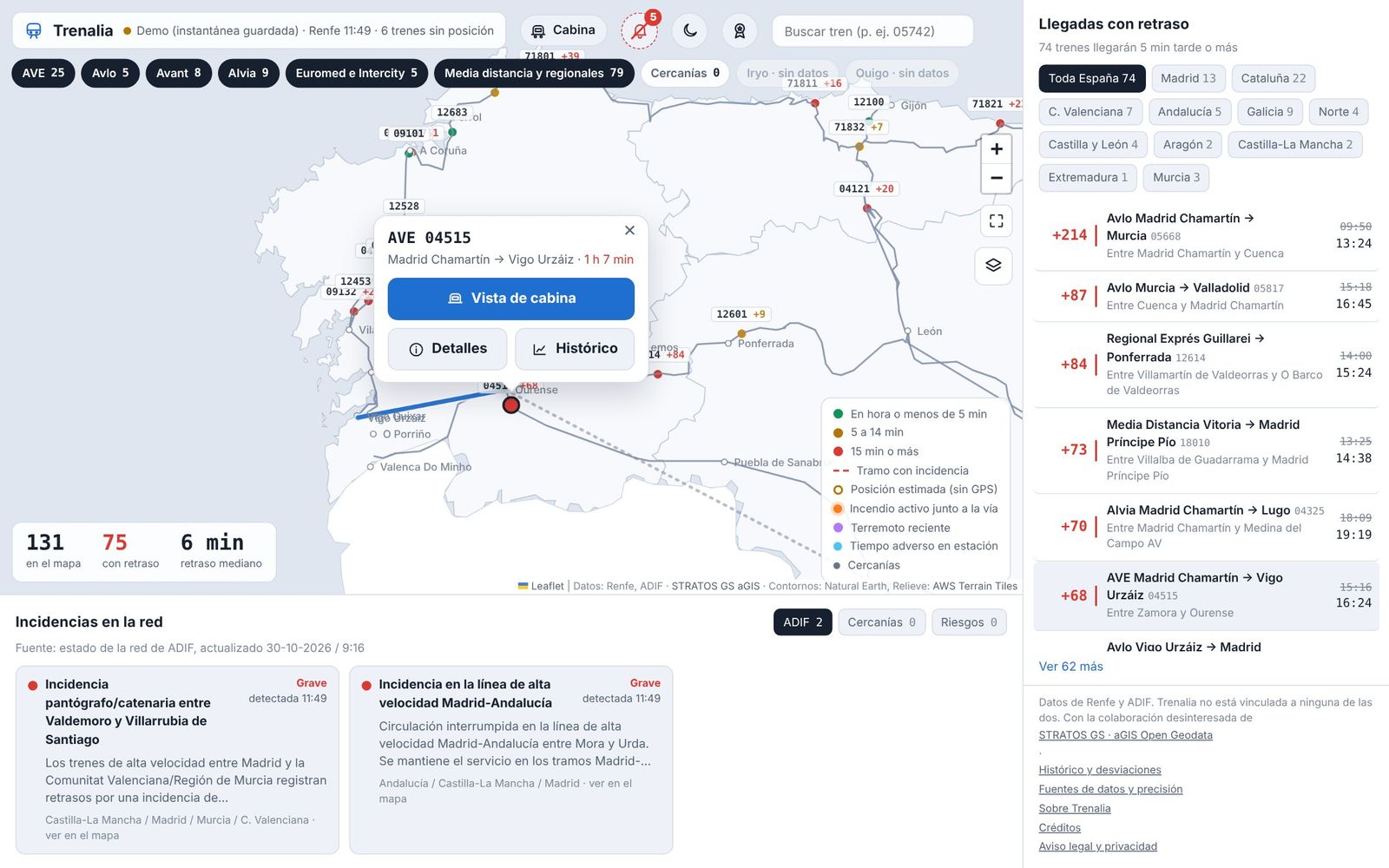
A panel with the trains that will arrive five minutes or more late, by region, and their expected time. Below it, incidents from ADIF and Cercanías, and hazards near the line: AEMET warnings, wind gusts at weather stations, wildfires detected by satellite and earthquakes.

Close-up of the map in Galicia with the delayed arrivals panel and network incidents

Get warnings of possible rear-end conflicts

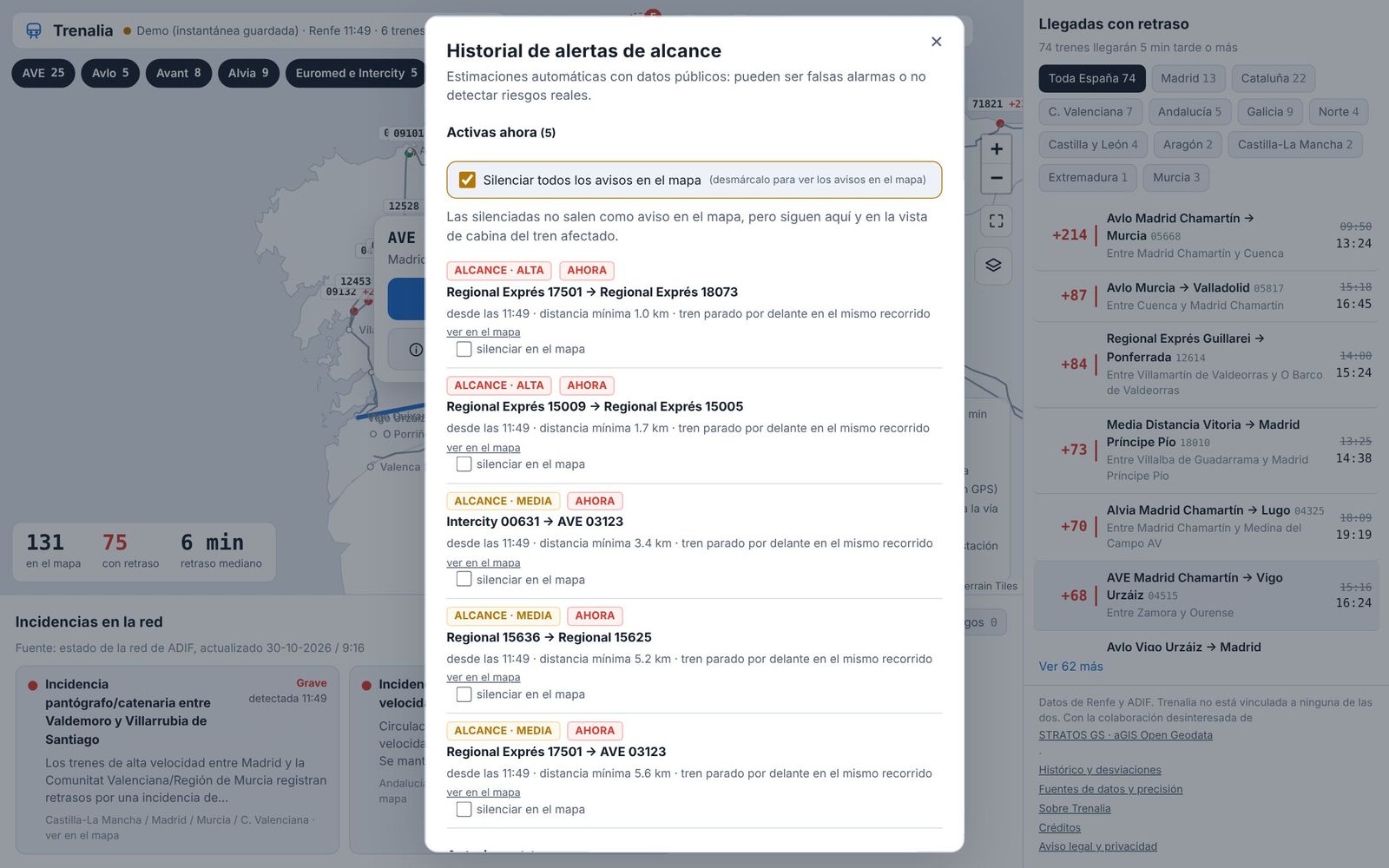
Trenalia calculates when two trains with a reliable position get too close on the same track. It is an estimate based on public data, with no access to signalling: there may be false alarms, but it is worth checking. By default, warnings do not pop up on the map; the bell keeps the active alerts and their history, and you can turn them on from there.

History of rear-end conflict alerts with the active alerts and the box to mute them

Ask Trenalito

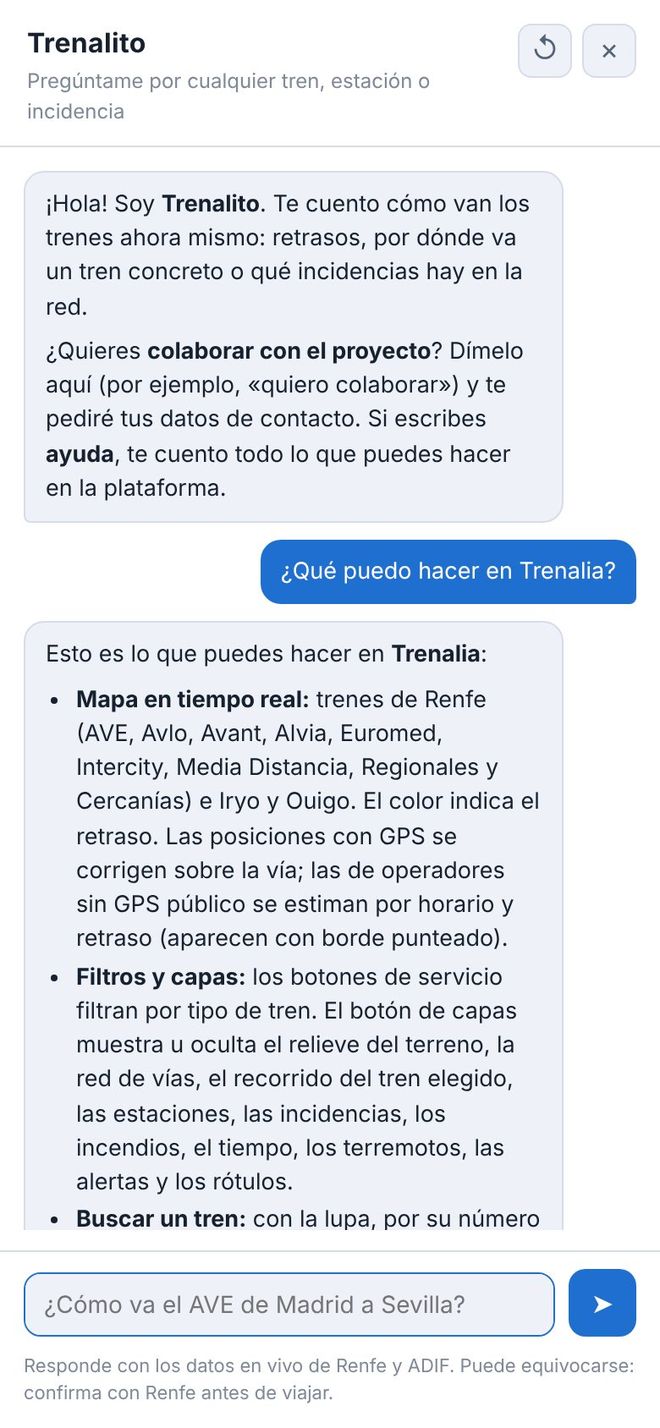
An assistant you can ask in your own words: “How is the AVE from Madrid to Sevilla doing?”, “Are there any incidents in Catalonia?”, “Is the 03163 doing worse than usual?”. It answers with live data, history and alerts, and if you type “help” it explains everything you can do.

It uses artificial intelligence and can make mistakes. It does not store your conversations.

Trenalito chat on a mobile phone explaining Trenalia's features

On your phone or computer, day or night

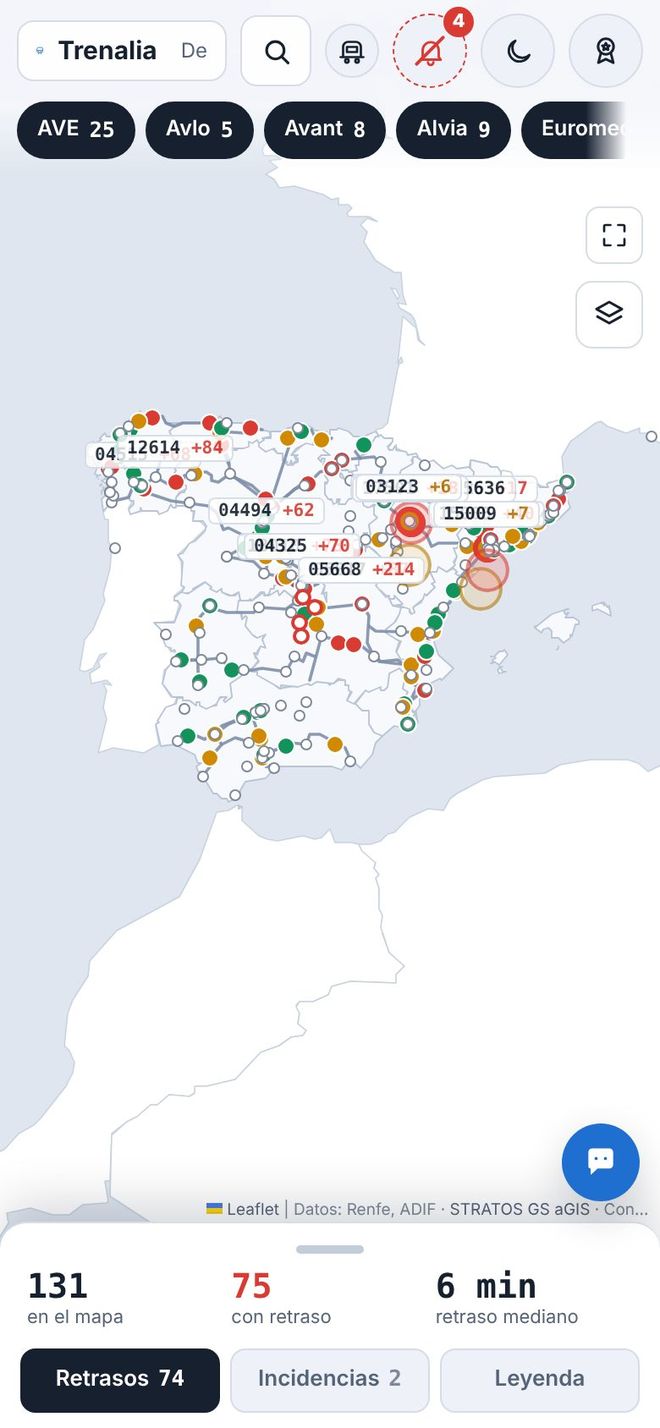
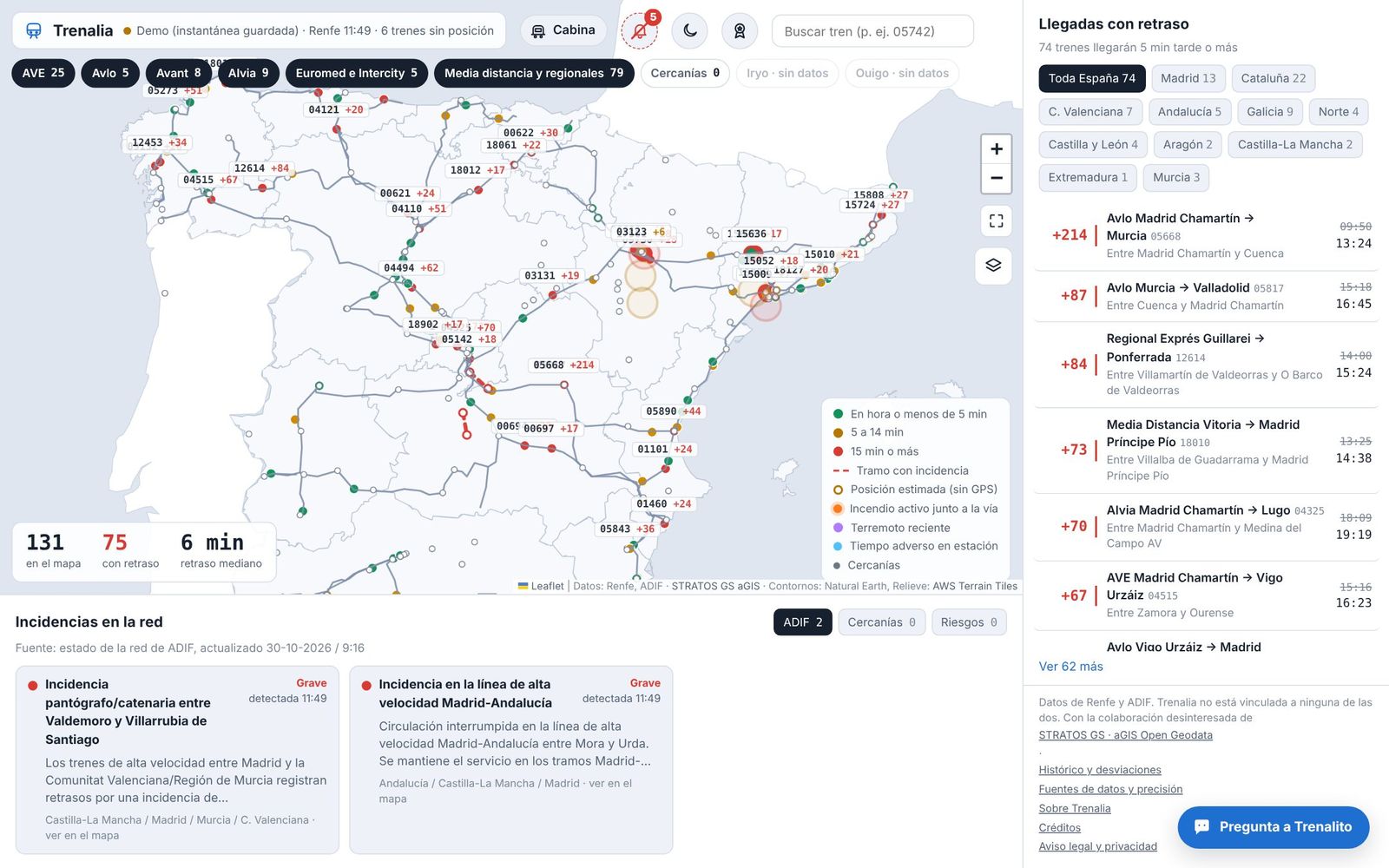
The same app adapts to any screen. On a phone, the bottom panel slides up to show delays, incidents and the legend. There is a light and a dark mode, one button away.

And also: a history that compares each train's delay today with its average over previous days and flags the ones running worse than usual.

The Trenalia map in dark mode Trenalia on a mobile phone, with the map and the bottom panel

One network, different needs

People who travel

Find out where their train is, how late it is running, roughly when it will arrive and whether there are incidents along the way, before checking with their operator.

People who work in the railway

An overview of the network with the open sources brought together, each train's history and the accuracy of every piece of data in plain sight.

Companies and organisations

A demonstration of what can be built by combining open data, and of what could be improved with better access to official data.

What open data allows today, and what better data would allow

Today

  • Renfe long and medium distance: GPS position and delay every 15 seconds.
  • Cercanías and Rodalies: positions and service notices as open data.
  • ADIF: network incidents and station boards covering all operators, when available.
  • Iryo and Ouigo: they do not publish GPS. They are placed using their official timetable (open data) and, when station boards are available, their actual delay.
  • Official timetables: Renfe, Ouigo and Iryo in GTFS format, for trains that do not publish their position.
  • Context: AEMET, NASA wildfire satellites, earthquakes, OpenStreetMap rail lines and terrain relief.

Showing the limits is also part of informing

  • Information may arrive late.
  • Not every train has a known position.
  • An estimated position is not a GPS position.
  • If a train does not appear, that does not mean the line is clear.
  • Rear-end conflict alerts are rough calculations, not safety warnings.

Trenalia does not replace official channels, signalling, operating instructions or operational communications. Before you travel, check with your operator. In an emergency, call 112.

Improving information is a shared task

Feedback from users, the experience of people who work in the railway and data from those who hold it all help make Trenalia more useful. This is how it moves forward:

  1. Experience

    Tell us what is missing, what is unnecessary and what is unclear.

  2. Data

    Find more sources and better access to cover more trains.

  3. Review

    Check the results with professionals to improve quality.

The button opens Trenalito on the map, which will ask for your contact details.

A first step, open to anyone who wants to join in.

So that rail information reaches the people who need it, better.

Open the Trenalia map